For iPhone · on-device · nothing uploaded
Your whole camera roll, sorted in seconds.
Sorta files every screenshot and photo into its own drawer, spots the screenshots you no longer need, and finds the duplicates. All of it happens on your iPhone.
Free to try · one-time unlock · no subscription
How it works
One tap. Every shot in its drawer.
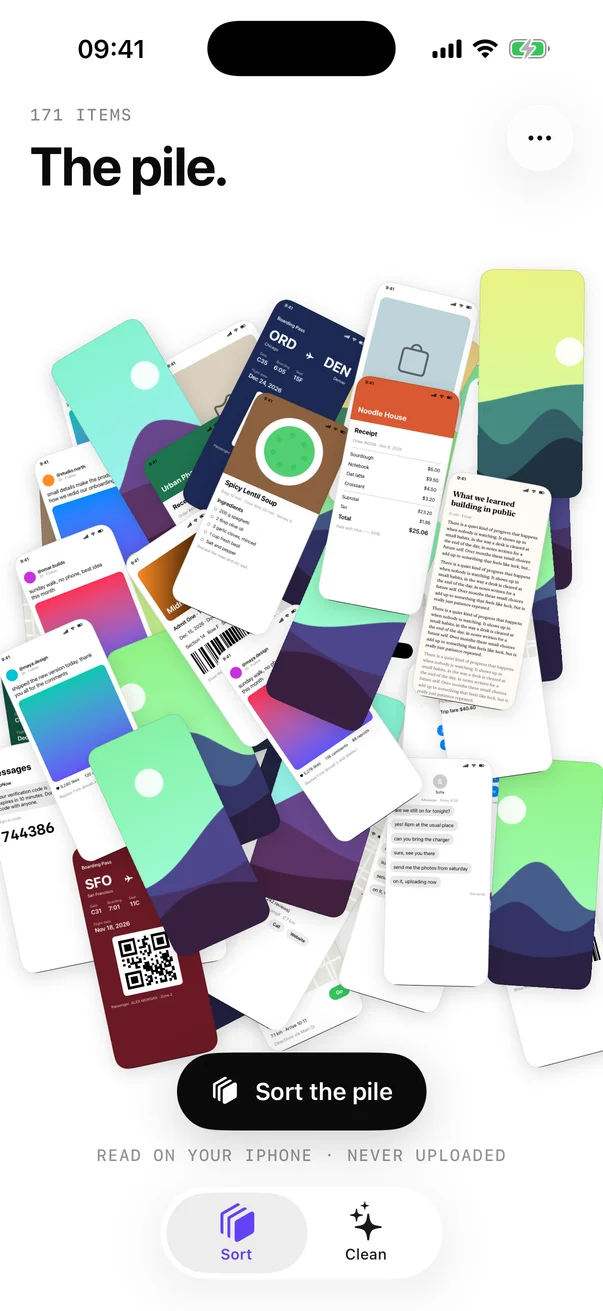
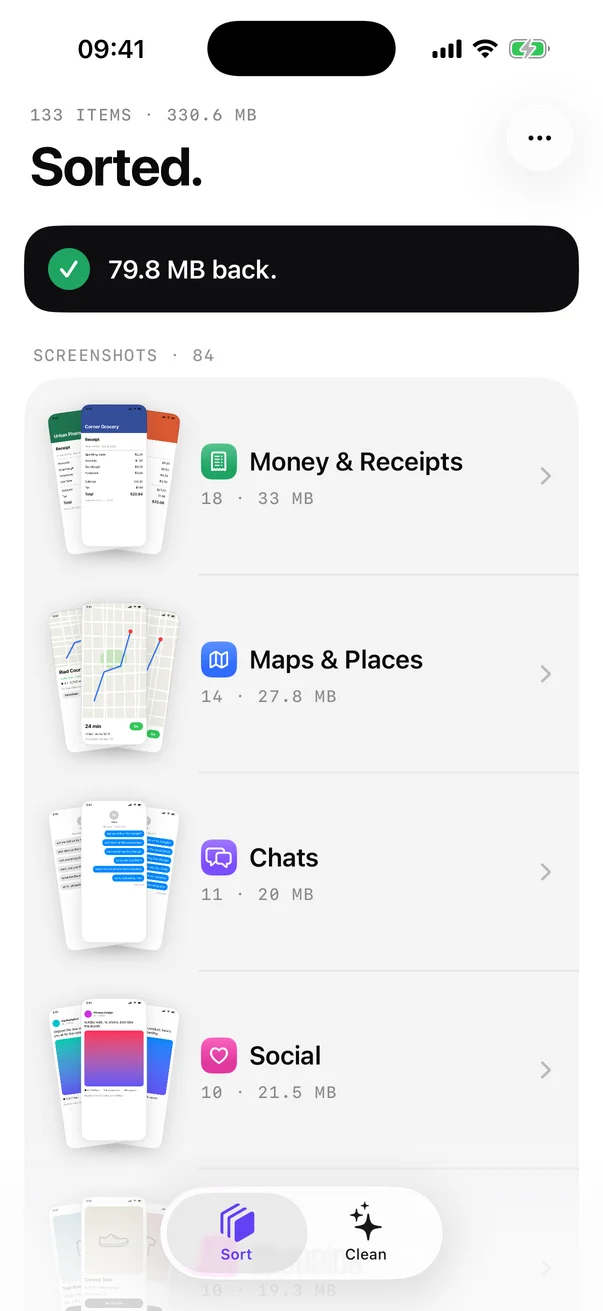
Thousands of screenshots and photos, one messy pile. Sorta reads them on your iPhone and puts each one where you'd look for it.
01
Sort the pile
Tap once and watch every screenshot, photo and video fly into a drawer: tickets, receipts, chats, maps, people, pets and more.
02
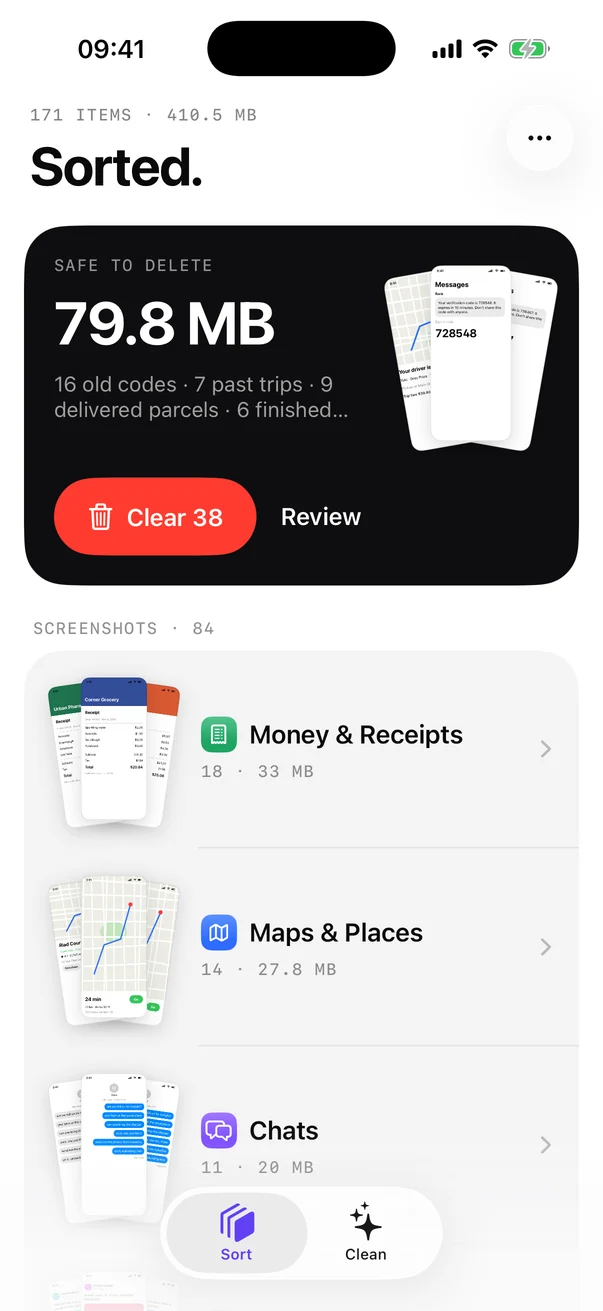
Clear what's done
Old sign-in codes, tickets for trips you already took, parcels that arrived. Review them, or clear them all and get the space back.
03
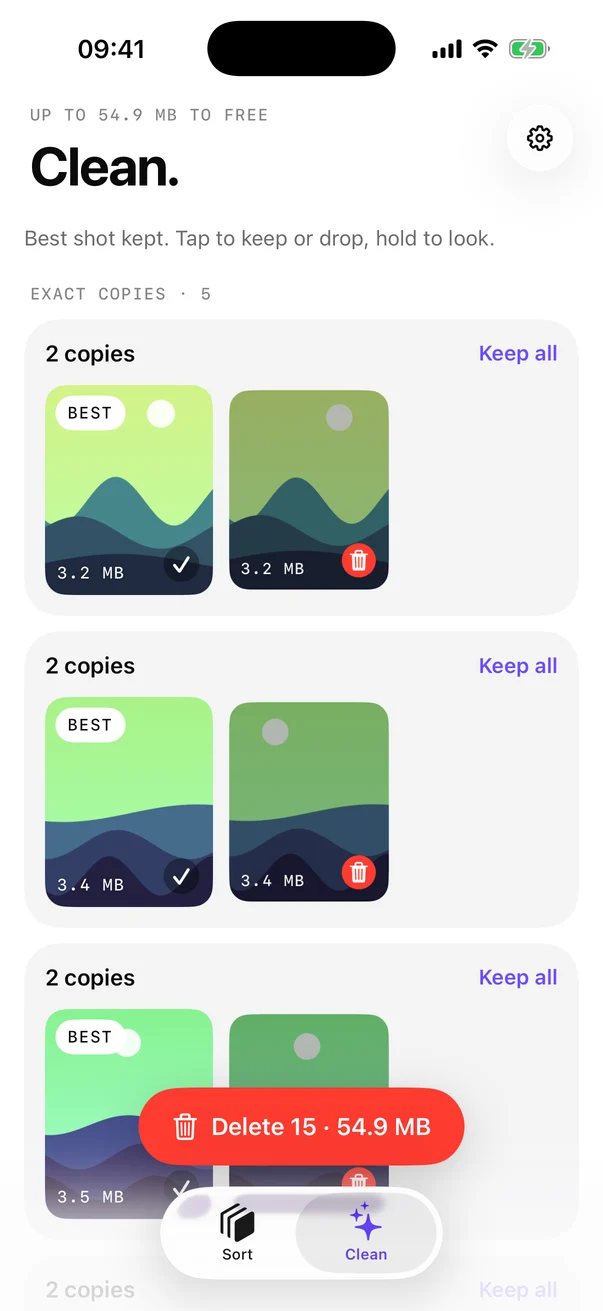
Find the doubles
Exact copies and the ten shots of the same sunset. Sorta keeps the best one of each set and lines up the rest.
The drawers
Where you'd look for it.
Screenshots are read for their text; photos for what's in them. Anything can be moved to another drawer, and every drawer can be saved as a Photos album.
Safe to delete
Only the screenshots that are clearly done.
Each rule needs strong proof, because the card can clear them in one tap.
- One-time sign-in codes, after a day
- Boarding passes and tickets, once the date has passed
- "Your parcel was delivered", after two weeks
- "Your driver is arriving", after the ride
- Nothing goes without the iPhone's own confirmation, and it all stays in Recently Deleted for 30 days
Private by design
Read on your iPhone. Never uploaded.
On-device
Apple's text and image recognition run on your iPhone. On iPhones with Apple Intelligence, Apple's on-device model takes a second look at the screenshots keywords can't place.
No account, no tracking
No sign-up, no analytics, no ads, no server. Sorta doesn't collect any data, and neither does this website.
Nothing lost by accident
Deleting always goes through the iPhone's confirmation. Deleted items stay in Recently Deleted for 30 days.
Speaks your language
Questions
Good to know.
Does Sorta upload my photos?
No. Sorta reads your screenshots and photos on your iPhone with Apple's on-device text and image recognition. There is no server, no account and no tracking.
Can Sorta delete photos without asking?
No. Every delete goes through the iPhone's own confirmation, and deleted items stay in Recently Deleted for 30 days.
How does Sorta know a screenshot is safe to delete?
It only suggests screenshots that are clearly done: one-time sign-in codes older than a day, tickets whose date has passed, delivered-parcel screens after two weeks and finished rides. You can review them before clearing.
Does it work with iCloud Photos?
Yes. Sorta uses the copies already on your iPhone and only downloads a screenshot from iCloud when it needs to read its text.
Which iPhones does Sorta support?
Any iPhone with iOS 26 or later. On iPhones with Apple Intelligence, Apple's on-device model takes a second look at the screenshots keywords can't place.
Is Sorta free?
Sorta is free to try: it sorts your 100 most recent photos, screenshots and videos. Sorta Unlimited sorts your whole library for a one-time payment. No subscription and no ads.

Give your camera roll a drawer for everything.
Free to try, one payment to unlock everything. Coming soon to the App Store.